
JB
Development
We build FiveM scripts, props, animations and UI redesigns for Qbox, QBCore and ESX servers. Everything is made to drop straight in, is delivered instantly to your Cfx.re keymaster, and comes with support in our Discord.
- ScriptsProps · Animations · UI
- QboxQBCore · ESX
- SupportIn our Discord
- 01
Pick your resources
Browse below, read the details and add what you need to your basket.
- 02
Sign in and pay
Sign in with Cfx.re and pay in Tebex's secure checkout without leaving this page.
- 03
Instant delivery
Your purchase lands in your Cfx.re keymaster straight away, ready to drop into your server.
Products
The store couldn't load.
Release timeline
Everything we've shipped, newest first. Click any release to see it.
JB Run
Race across the city rooftops at night. Jump the barriers, dodge the police drones, grab the cash. It gets faster the longer you last. Top 10 each month make the leaderboard.
Try the ox_lib Redesign
These run the same look as the in-game resource. Have a go.
Skill check
Hit the zone
Press E or tap when the needle is in the white zone. Three rounds, each one harder.
Progress bar
Repair the car
Hold the button to repair. Let go and it cancels, like in game.
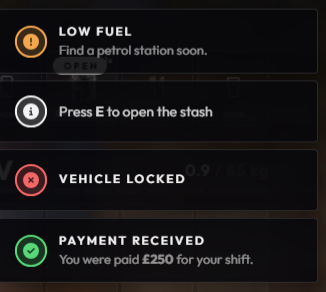
Notifications
Send one
Each type has its own coloured ring, just like the in-game notify.
Minigames
Two classic FiveM minigames, built the JB way. Your best scores are saved in your browser.
Lockpick
Pick the lock
Move the pick with your mouse, finger or ←→. Hold Space or the Turn button to try the lock. If it won't turn, you're off the sweet spot, so let go before the pick snaps.
Hacking
Crack the code
Watch the nodes light up, then tap them back in the same order. Every round adds one more step, and the clock gets shorter.
Press Start to begin the breach
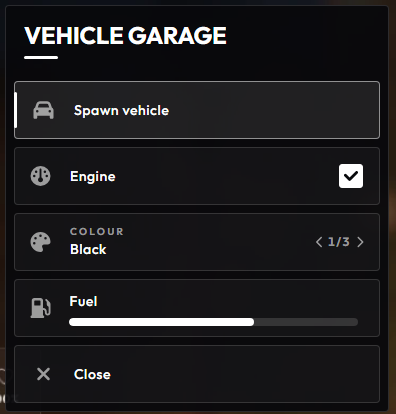
A look inside
FAQ
Can't find your answer? Open a ticket in our Discord and we'll help.
How do I get my purchase?
At checkout you sign in with your Cfx.re account. As soon as payment goes through, the resource appears in your Cfx.re keymaster under Granted Assets, ready to download and add to your server.
Which frameworks are supported?
Our resources are built for Qbox, QBCore and ESX servers, and many are standalone. Each product's details list exactly what it needs, such as ox_lib or ox_target.
Why do I log in with Discord?
Some products link your purchase to your Discord account so we can give you the customer role and support access in our server. We only see your Discord name and ID.
How do updates work?
Updates are announced in our Discord, and the latest version is always available to download from your Cfx.re keymaster.
Which payment methods can I use?
Payments are handled by Tebex. All the methods available to you are shown in the checkout, and we never see your card details.
Something isn't working. What now?
Check the docs first, then open a ticket in our Discord with your framework, the resource version and any errors from your server console. We'll get it sorted.
01
Shop
Pay securely on this page. Tebex handles payment and delivers straight to your Cfx.re keymaster.
Browse products02
Docs
Install guides, configuration, FAQs and changelogs for every product.
Read the docs03
Discord
Get support, see previews of new releases and talk to the community.
discord.gg/jbdevelopment